Optimize your gaming experience with this app
MSI GAMING APP is a free utility app that promises to optimize and overclock your GPU (Graphics Processing Unit) and CPU (Central Processing Unit) while providing essential system information. The app offers a wide range of features and functionalities, allowing you to optimize your gaming performance and customize your hardware settings with ease.
Top Recommended Alternative

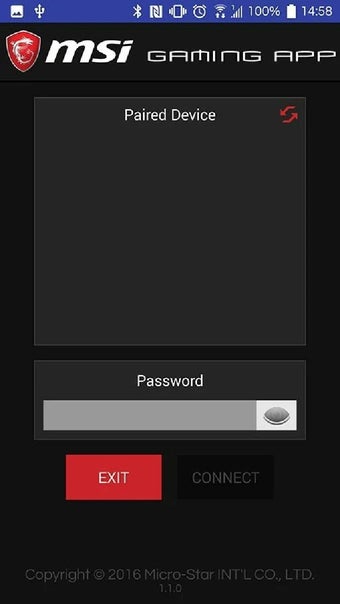
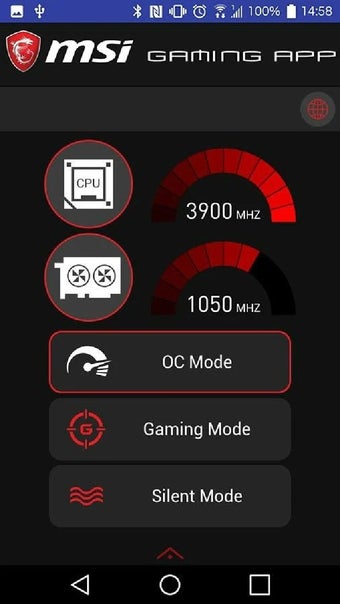
The MSI GAMING APP’s user interface is well-designed and intuitive, making it relatively easy for you to navigate and access the various features. The red-and-black MSI layout is familiar to the brand's users, which adds to the comfort of using the app.
Performance enhancing features
Those who wish to squeeze out the most performance from their hardware will find MSI GAMING APP’s performance optimization features highly beneficial. Overclocking can lead to improved gaming performance and higher frame rates, enhancing the overall gaming experience. You have the ability to create and manage custom gaming profiles. This allows you to tailor your hardware settings for different games or scenarios.
This level of customization is valuable for those who play a variety of games and want to optimize their settings accordingly. The real-time hardware statistics provide you with crucial information about the system's health and performance. Being able to monitor temperature, clock speed, and usage helps you keep your hardware in check. The added audio enhancements also contribute to a more immersive gaming experience.
Those with compatible MSI gaming hardware can also enjoy the visual appeal of RGB lighting effects synchronized through the app. For content creators and streamers, the app's integration with these platforms simplifies the setup for streaming, offering convenience and seamless access to essential streaming tools. However, the app is designed specifically for MSI laptops and desktop PCs, which means users with hardware from other manufacturers cannot benefit from its features.
Overclocking
The overall user experience with the MSI Gaming App is positive for its target audience of MSI laptop and desktop PC users who are gamers or content creators. The app's performance optimization, customization options, and hardware monitoring features provide tangible benefits for those seeking to enhance their gaming experience. For individuals with non-MSI hardware or those who do have but with minimal interest in gaming, the app may not offer as much value.